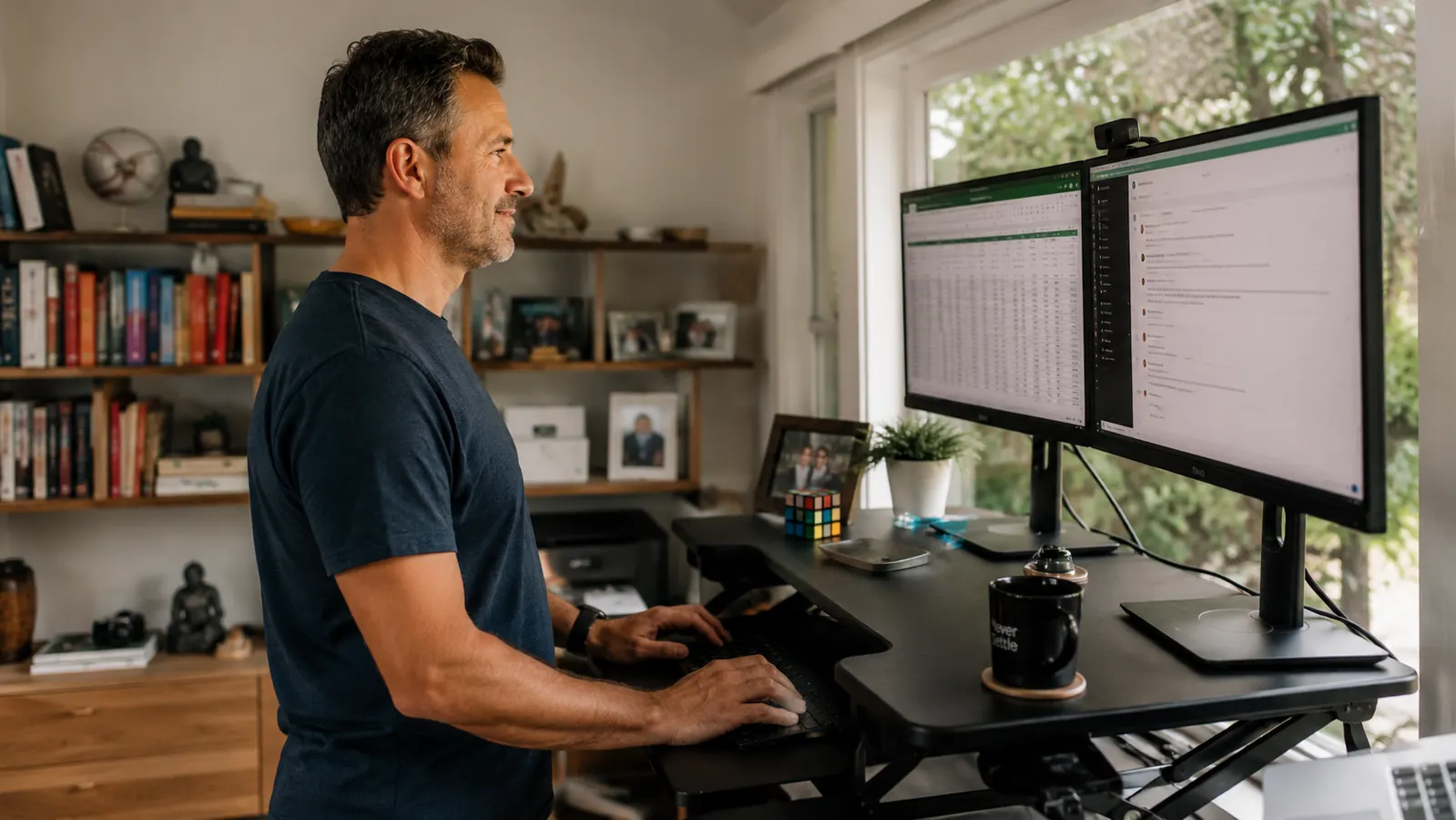
For the first two years I worked from home, my lower back ached by 2 p.m. every single day. I had a decent chair. I even bought a lumbar pillow. Neither solved the problem, because the real issue was not what I was sitting on. It was that I was sitting, without a break, for seven or eight hours straight. The muscles around my lumbar spine were not weak. They were exhausted from holding a static position all day. The fix was not a better chair. It was giving my body the option to stand.
A standing desk converter sits on top of your existing desk and raises your monitor, keyboard, and mouse to standing height with a single lift. You stay at the same desk, in the same room, with the same setup. You just switch between sitting and standing throughout the day. The VIVO 32-inch K-Series desk converter is the one I have used daily for the past eight months, and it is the one I recommend to anyone asking where to start. This guide covers exactly how to set it up so that the routine actually sticks, including the positioning details that most articles skip entirely.
Your back has been in the same position for too long. This is the fix.
The VIVO 32-inch desk converter has a spring-assist lift, dual monitor space, and a keyboard tray that drops your hands to the right height automatically. Over 12,000 remote workers have rated it 4.6 stars. Check today's price before you read another ergonomics article without acting on it.
Amazon Check Today's Price on Amazon →Step 1: Clear Your Desk and Measure Before You Lift Anything
Before the converter arrives, take five minutes to measure your sitting elbow height. Sit in your normal chair with your feet flat on the floor and your arms hanging relaxed. Measure from the floor to the crease of your elbow. That number is your keyboard height target. Most people land between 27 and 30 inches. Write it down.
Then measure your standing elbow height. Stand barefoot or in your work shoes if you wear them at your desk. Same measurement from the floor to the elbow crease. This tells you the height range your converter needs to reach. The VIVO K-Series adjusts from 4.75 inches to 19.75 inches above your desk surface, which covers the range for almost every desk height and user height combination. If your desk sits at 30 inches and your standing elbow height is 44 inches, you need 14 inches of rise, which the VIVO handles without issue.
Clear the back half of your desk surface before the unit goes on. The VIVO 32-inch footprint is 32 inches wide and 21 inches deep, so it needs that much real estate. Move your desk lamp, any stacked papers, and the coffee mug collection somewhere else. A clean start makes the ergonomic adjustments easier to dial in accurately.
Step 2: Set Your Monitor to the Correct Height, Not Just a Comfortable Height
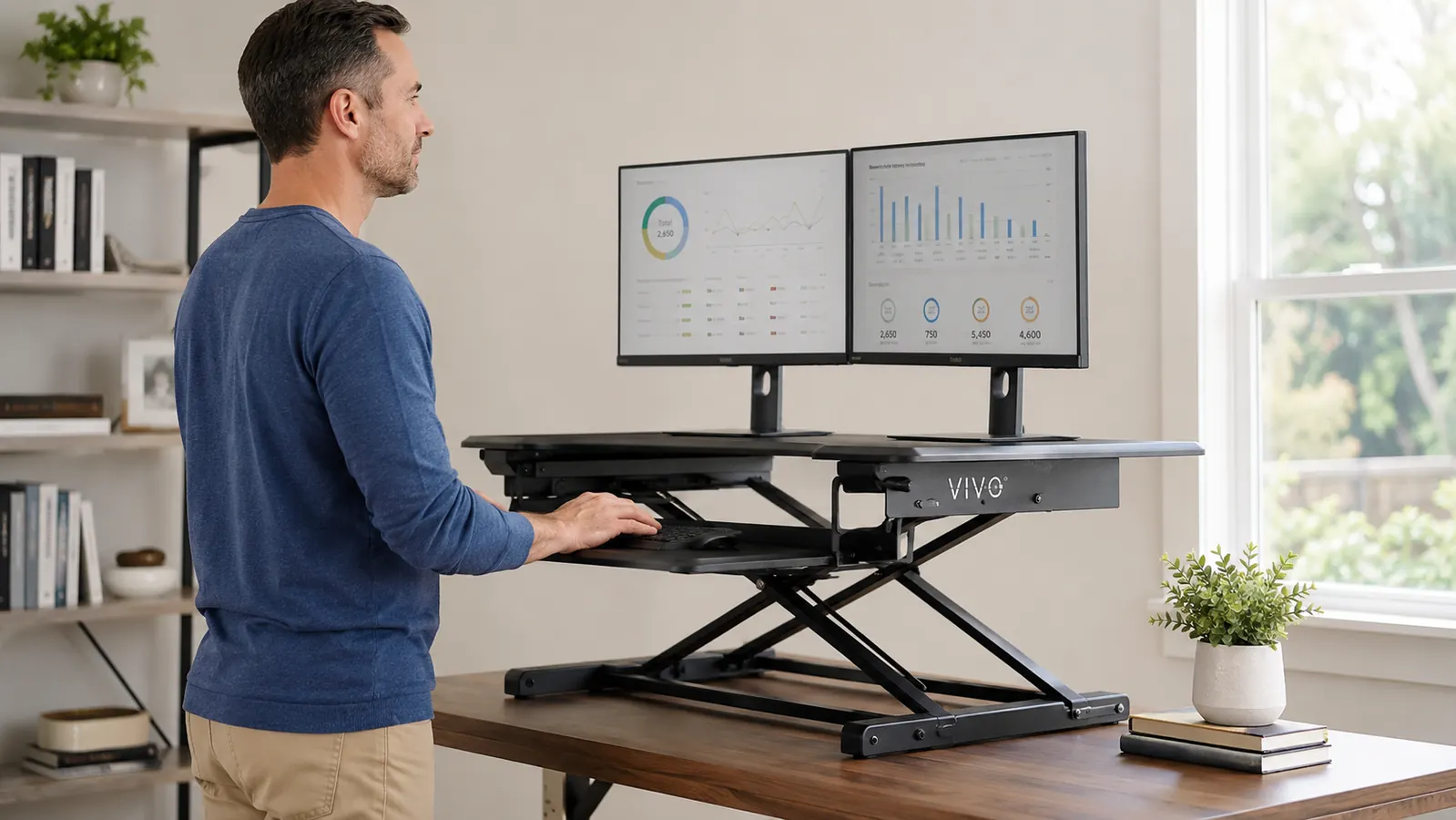
This is the step most guides get wrong. They say to position the monitor so the top of the screen is at eye level. That is correct when you are sitting, but when you are standing, you need to account for the fact that your eye level shifts upward by the same amount as the converter rise. The VIVO's monitor surface rises with the unit as a single platform, so the relative position of your monitor to your eyes stays consistent as long as you set it correctly at sitting height first.
Sit in your chair, raise the converter to its sitting position (usually 4.75 to 6 inches of rise, enough to bring the keyboard tray to elbow height), then place your monitor on the rear platform. Adjust the monitor tilt until the top edge of the screen is at your eye level or just slightly below. Now stand up. The converter lifts to standing height and your monitor should arrive at roughly the same relative position to your eyes. If your neck is craning upward at standing height, your desk is too low and you may need a small riser under the monitor itself. For most people on a standard 30-inch desk, the VIVO platform height alone is sufficient.
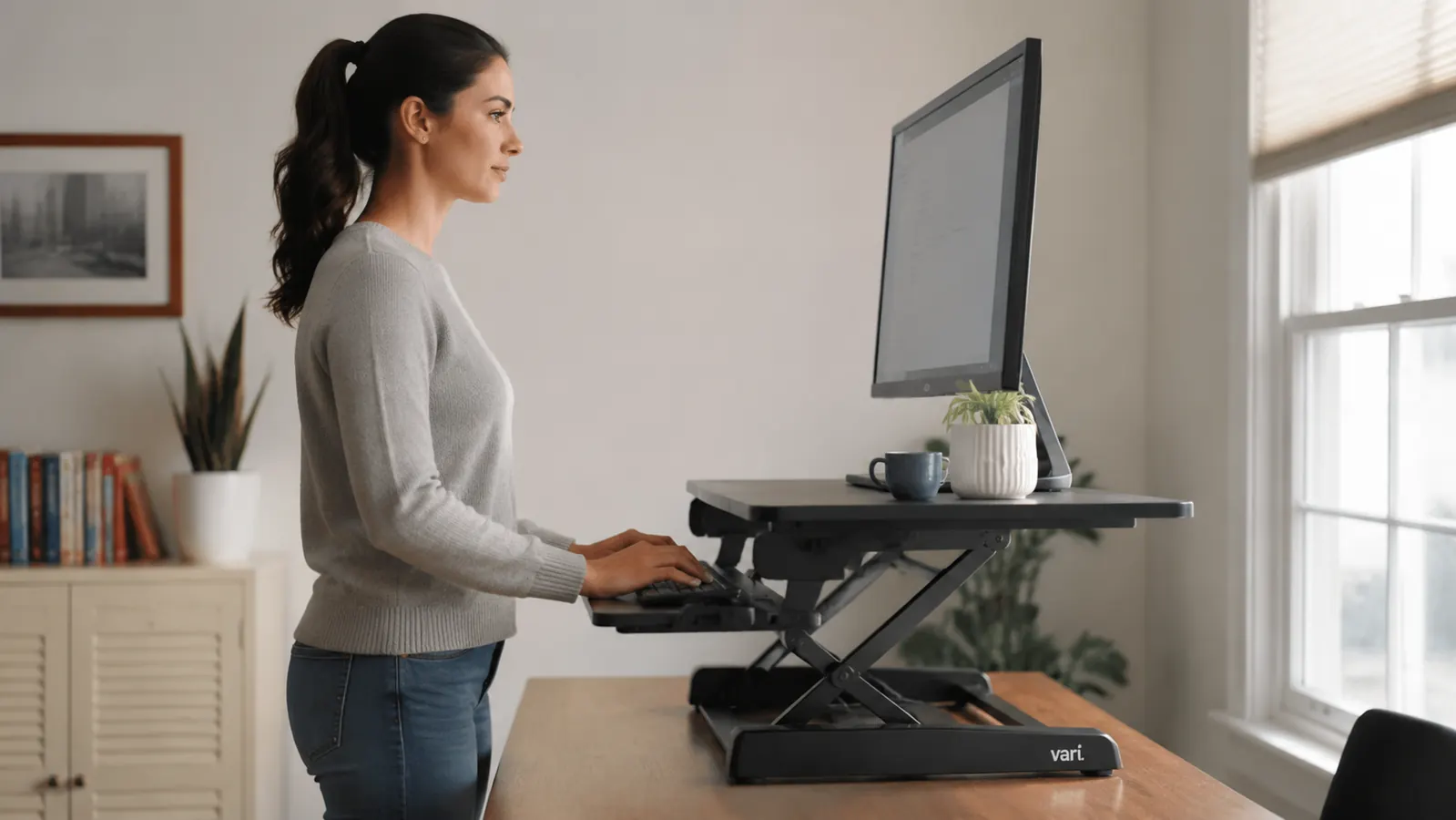
Step 3: Position the Keyboard Tray So Your Elbows Stay at 90 Degrees
The VIVO K-Series includes a pull-out keyboard tray that sits about 3.25 inches below the main platform. This is the feature that separates it from cheaper converters that put the keyboard on the same surface as the monitor. When your keyboard is on the same level as your monitor, one of those two things is wrong: either the monitor is too low or your arms are reaching too high. The separate keyboard tray solves that conflict.
At standing height, your forearms should be roughly parallel to the floor with a slight downward angle, no more than 10 to 15 degrees. Your shoulders should not be shrugged, and your wrists should not be bending upward to reach the keys. If the keyboard tray still feels too high after the converter is at full standing height, check your shoes. Adding an inch of heel height raises your whole body relative to the fixed tray position. Work in flat shoes or socks if that is the issue. If the tray feels too low, you may be standing too tall for the combination of your desk height and the converter's rise. In that case, your desk itself may need a slight adjustment, or the VIVO may not be the right fit for a very tall user, say over 6-foot-3 or so.
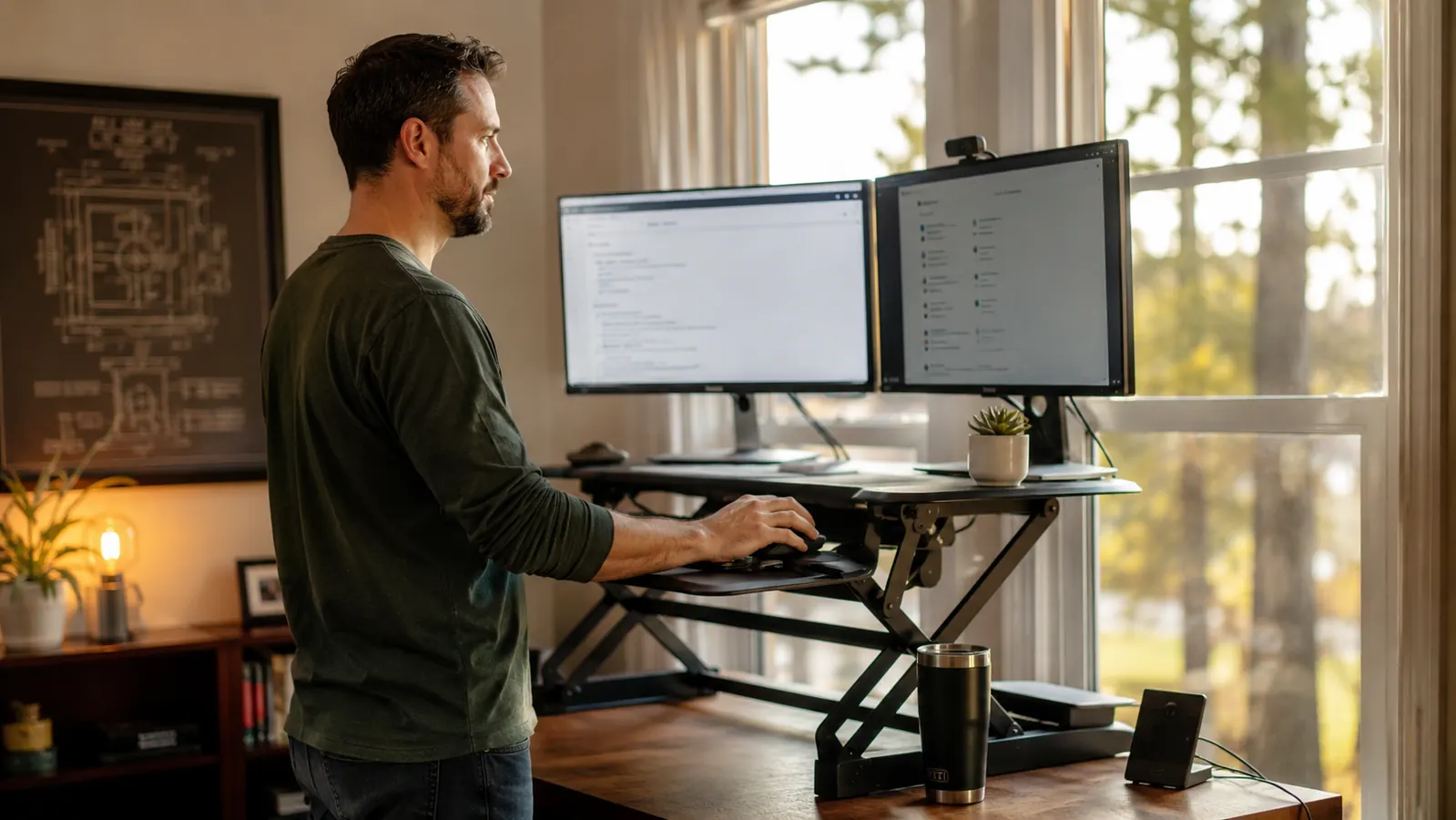
Step 4: Build a Sit-Stand Schedule You Will Actually Follow
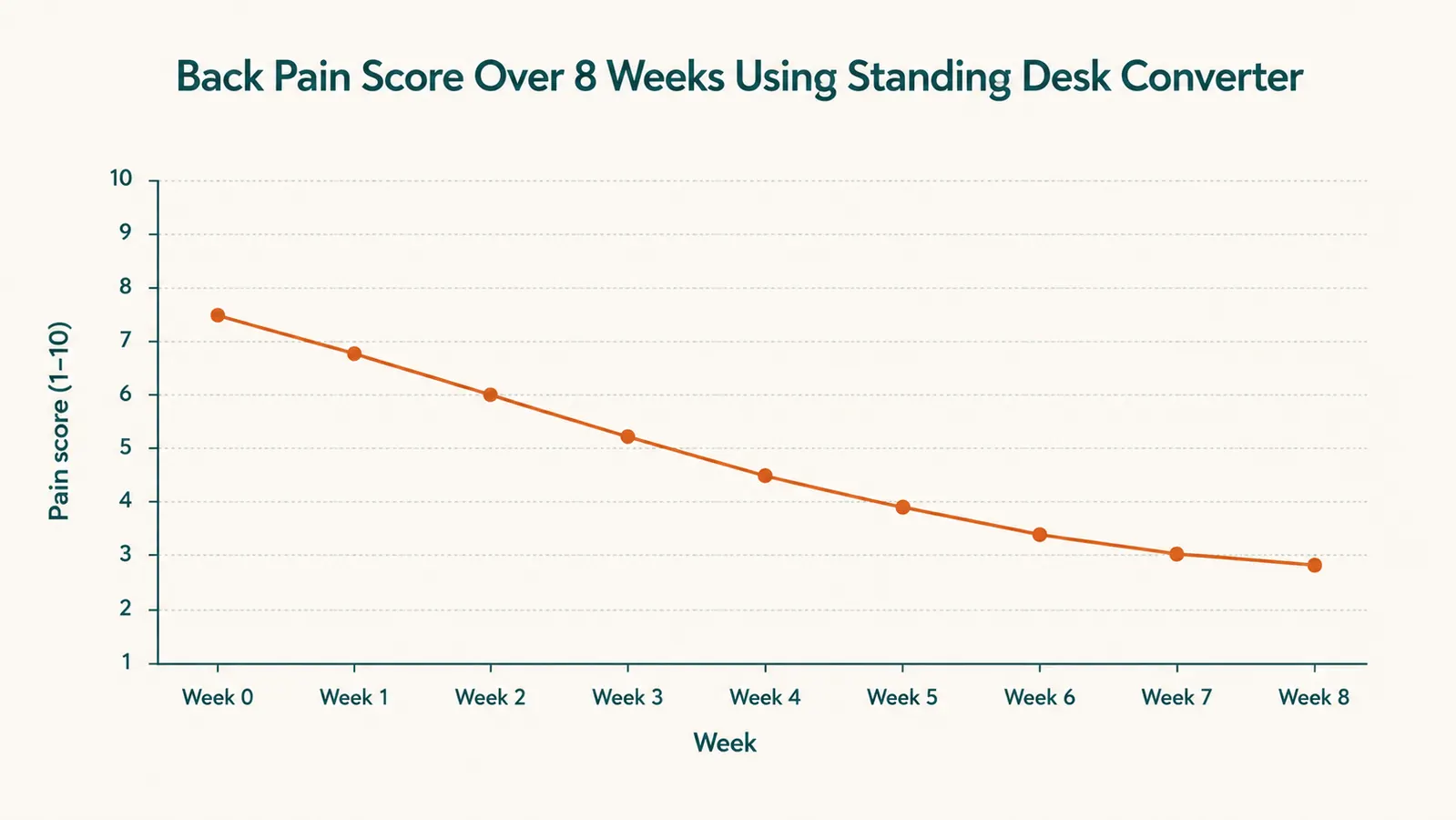
The research on sit-stand intervals points toward switching every 30 to 60 minutes, but the honest reality is that almost nobody starts there. If you have been sitting all day for years, standing for a full hour feels uncomfortable and distracting. Start with 20 minutes sitting, 10 minutes standing, for the first two weeks. That is a 2:1 ratio that lets your body adapt without taking your focus away from actual work.
After two weeks, push toward 30 minutes sitting, 15 to 20 minutes standing. By week six or eight, most people naturally land on something close to 45 sitting and 30 standing without thinking about it, because standing starts to feel normal and sitting for two hours straight starts to feel obviously wrong. Use a simple browser tab timer or a phone alarm. I used a sticky note on my monitor bezel for the first month that just said '30 min - switch.' It worked better than any app.
Switching every 30 minutes sounds rigidly scheduled until you realize that your body starts asking to switch on its own after a few weeks. The routine trains the habit, and then the habit runs itself.
Step 5: Add an Anti-Fatigue Mat to Make Standing Sustainable
Standing on a hard floor for 20 or 30 minutes at a stretch will tire your feet and calves faster than you expect, especially in the first few weeks. That foot fatigue is not a sign that standing is bad for you. It is a sign that your body is not used to it. But if every standing interval ends with your feet aching, you will stop standing within two weeks. An anti-fatigue mat solves this directly.
Flat foam mats help, but a contoured mat with raised terrain, like the Ergodriven Topo, does something better: it gives your feet small position changes to make throughout the interval without any conscious effort. You shift weight from heel to toe, step up onto a ridge, rest a heel in a slope, and those micro-movements keep circulation moving and delay fatigue meaningfully. I noticed the difference the first day I switched from a flat mat to a contoured one. Read more about what to look for in our full review of the Ergodriven Topo mat before you buy.
What Else Helps Beyond the Converter Setup
The converter and the schedule address the biggest driver of lower-back pain: unbroken static loading. But a few other adjustments compound the benefit significantly. First, check your chair height when you sit back down. If you drop into the chair and the converter is now at standing height, you may be tempted to lower it back down, which takes time and breaks momentum. Leave it at standing height and just sit with the converter raised. Yes, it looks odd. But the VIVO still has your monitor at a reasonable height when you are seated at a normal chair position, because the standing raise only takes the platform 14 to 19 inches above desk surface, not into the ceiling. Test it before assuming it will not work.
Second, do a quick hip flexor stretch every time you transition from sitting to standing. Thirty seconds per side. Chronic lower-back pain in desk workers is often driven as much by tight hip flexors pulling the pelvis forward as by weak back muscles. The sit-stand schedule reduces cumulative sitting time, but targeted stretching addresses the tightness already built up. This takes about one minute total and pays dividends within two to three weeks of consistency.
Third, check your mouse position while standing. Most people adjust their keyboard and monitor and forget the mouse. At standing height, your mouse should sit beside the keyboard tray at the same surface level, not up on the main monitor platform. If the VIVO keyboard tray is too narrow for both keyboard and mouse, a small desktop mat or secondary surface to the side of the converter solves it. The VIVO tray is 25.5 inches wide, which fits most keyboards with a few inches to spare, but not necessarily enough for a large mouse pad.
For more detail on the VIVO converter itself including how it holds up after months of daily use, how the spring-assist feels after extended use, and the honest limitations you should know before ordering, see our full six-month review of the VIVO K-Series desk converter.
The setup is straightforward. The back pain relief is real. Here is where to start.
The VIVO 32-inch K-Series desk converter is the practical first step: spring-assist lift, dual monitor platform, built-in keyboard tray, and a price that does not require you to replace your entire desk. Check today's price on Amazon and see the current configuration options.
Amazon Check Today's Price on Amazon →