
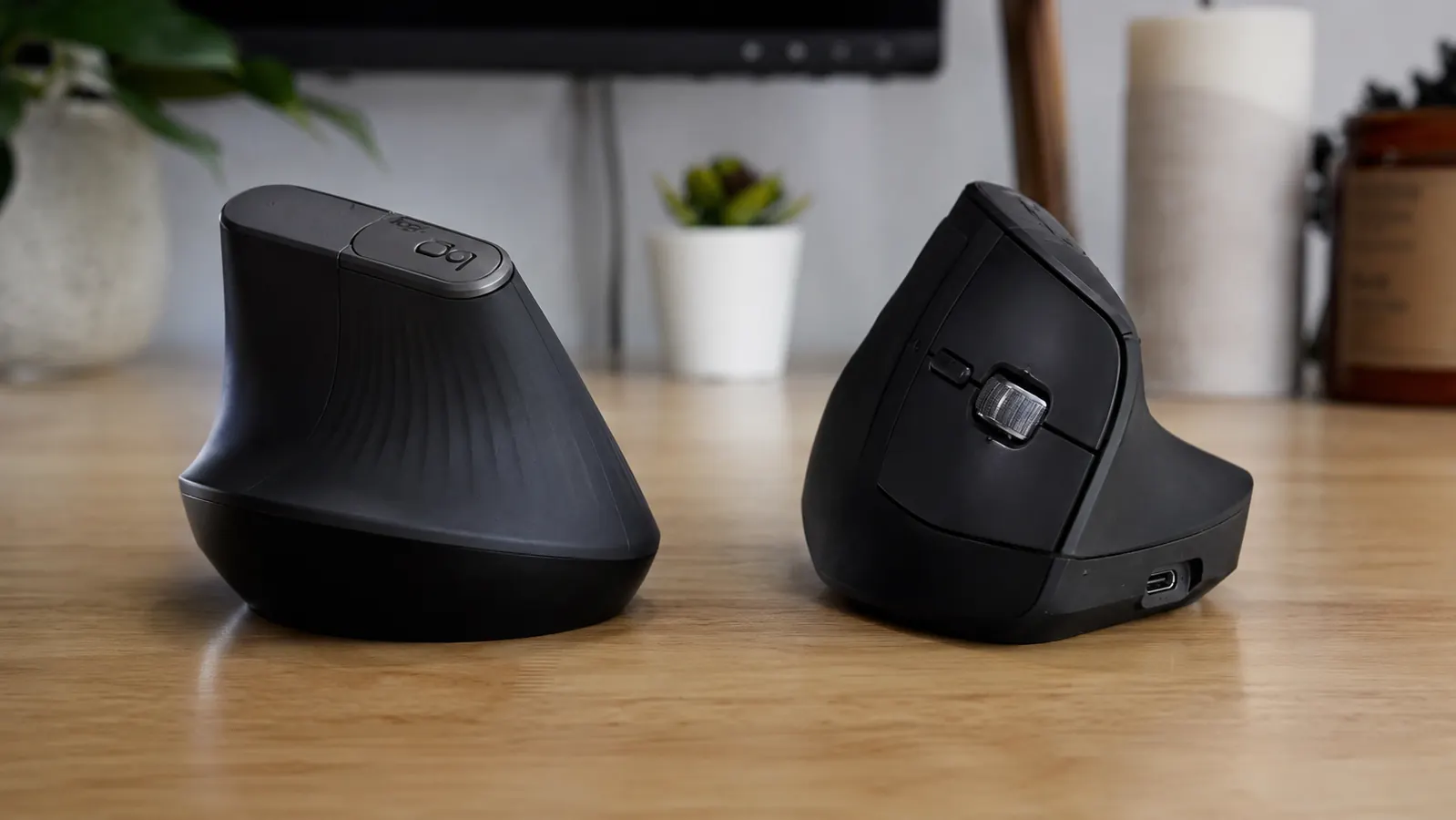
The short answer is this: if you are already committed to switching to a vertical mouse and you plan to use it every workday for the next two or three years, buy the Logitech MX Vertical. If you want to try the vertical grip format before spending real money on it, the Anker 2.4G vertical mouse is a serviceable test drive. But those two products are not really competing for the same buyer, and that framing matters before you look at any spec sheet.
I used both mice in my home office over a four-month stretch. The Anker came first, on the recommendation of a friend who called it a cheap way to see if vertical mice were for me. It was. After six weeks I ordered the MX Vertical, and the Anker went into a drawer. Here is what I actually noticed, beyond the spec sheet.
| Logitech MX Vertical | Anker Vertical Mouse | |
|---|---|---|
| Current Price | Check today's price on Amazon | Mid-range |
| Connectivity | Bluetooth + Logitech Unifying USB receiver (multi-device, up to 3) | 2.4 GHz USB nano-receiver only |
| Sensor Type | Darkfield high-precision optical (any surface) | Standard optical (may skip on glass or glossy surfaces) |
| DPI Range | 400 / 800 / 1600 / 3200 (button-switchable) | 800 / 1200 / 1600 (button-switchable) |
| Battery Life | Up to 4 months on a single charge (USB-C recharge) | Estimated 12-18 months on 1x AA battery (not rechargeable) |
| Programmable Buttons | 4 programmable buttons via Logitech Options+ software | No software; fixed button functions only |
| Weight | 135 g | 122 g |
| Grip Angle | 57 degrees (stated by Logitech) | Not stated; approximately 55-60 degrees by measurement |
| Compatibility | Windows, macOS, Linux; multi-device pairing | Windows, macOS; single device only |
Where the Logitech MX Vertical Wins
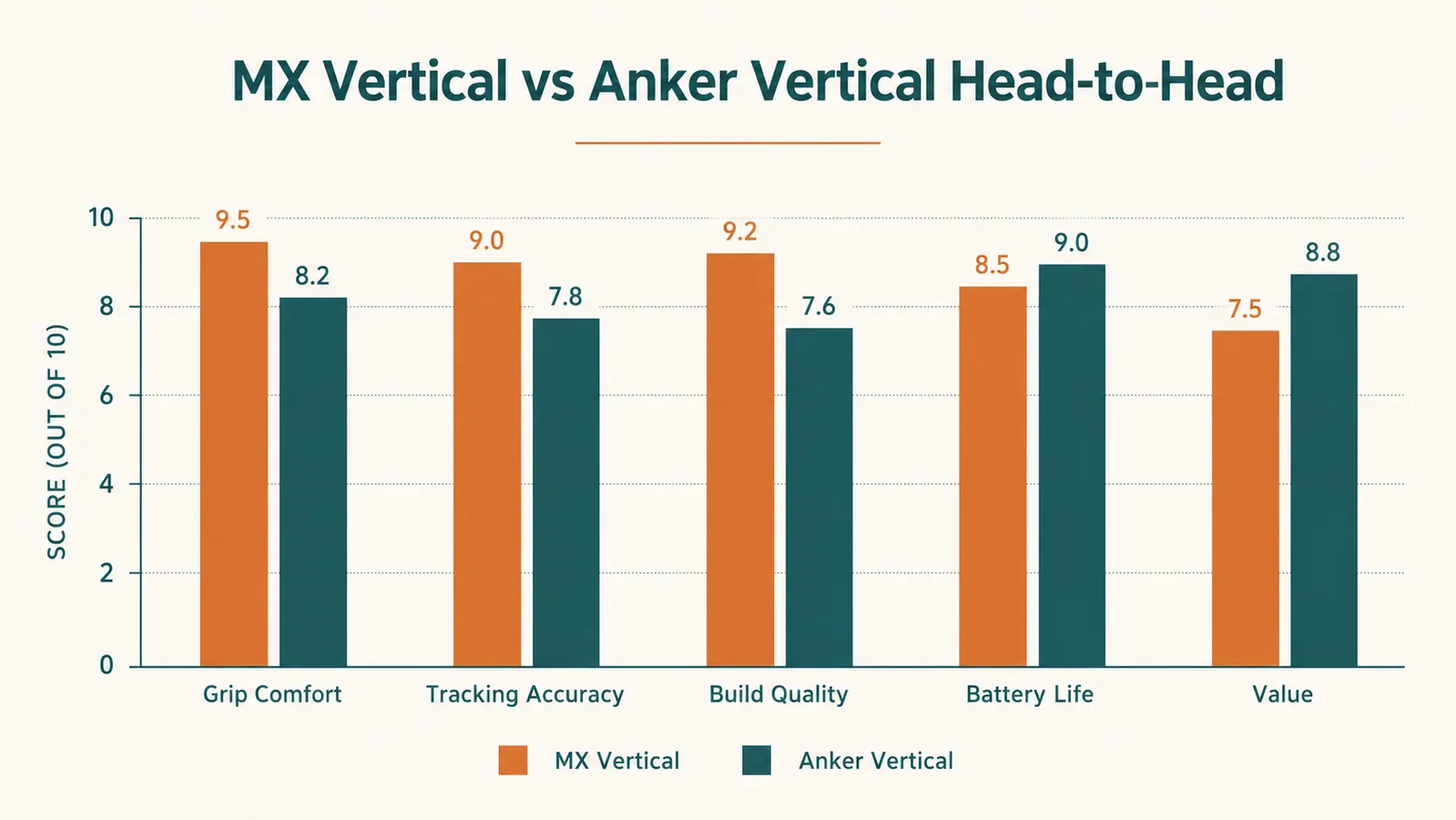
The sensor is the clearest win. Logitech's Darkfield technology tracks accurately on any surface, including glass desktops and glossy desk pads. I have a tempered glass top on one of my work surfaces and the MX Vertical never hesitated on it. The Anker would stutter or skip two to three times per hour on that same surface, which is enough to break concentration during detailed work.
Multi-device pairing is the second big one. I pair the MX Vertical to my laptop via Bluetooth and to my desktop via the Unifying receiver, and I switch between them with a single button press. It takes under one second. The Anker is a single-device mouse. If you have two machines on your desk, which most serious remote workers do, this alone starts to close the price gap. The alternative is physically swapping the Anker's nano-receiver between USB ports, which is the kind of friction that adds up invisibly across a long work week.
The Logitech Options+ software lets you remap the four programmable buttons to whatever you actually use. I set one to forward-back browser navigation and another to a copy-paste macro. With the Anker, the buttons do what the buttons do and that is the end of the conversation. For writers who spend most of the day in a browser and a document editor, programmable buttons become a real efficiency tool rather than a novelty.
Your wrist is already telling you something. This is the mouse that answers it.
The Logitech MX Vertical has over 14,000 reviews on Amazon, a 4.4-star average, and a Darkfield sensor that works on any surface. Check today's price and see if it is in stock.
Amazon Check Today's Price on Amazon →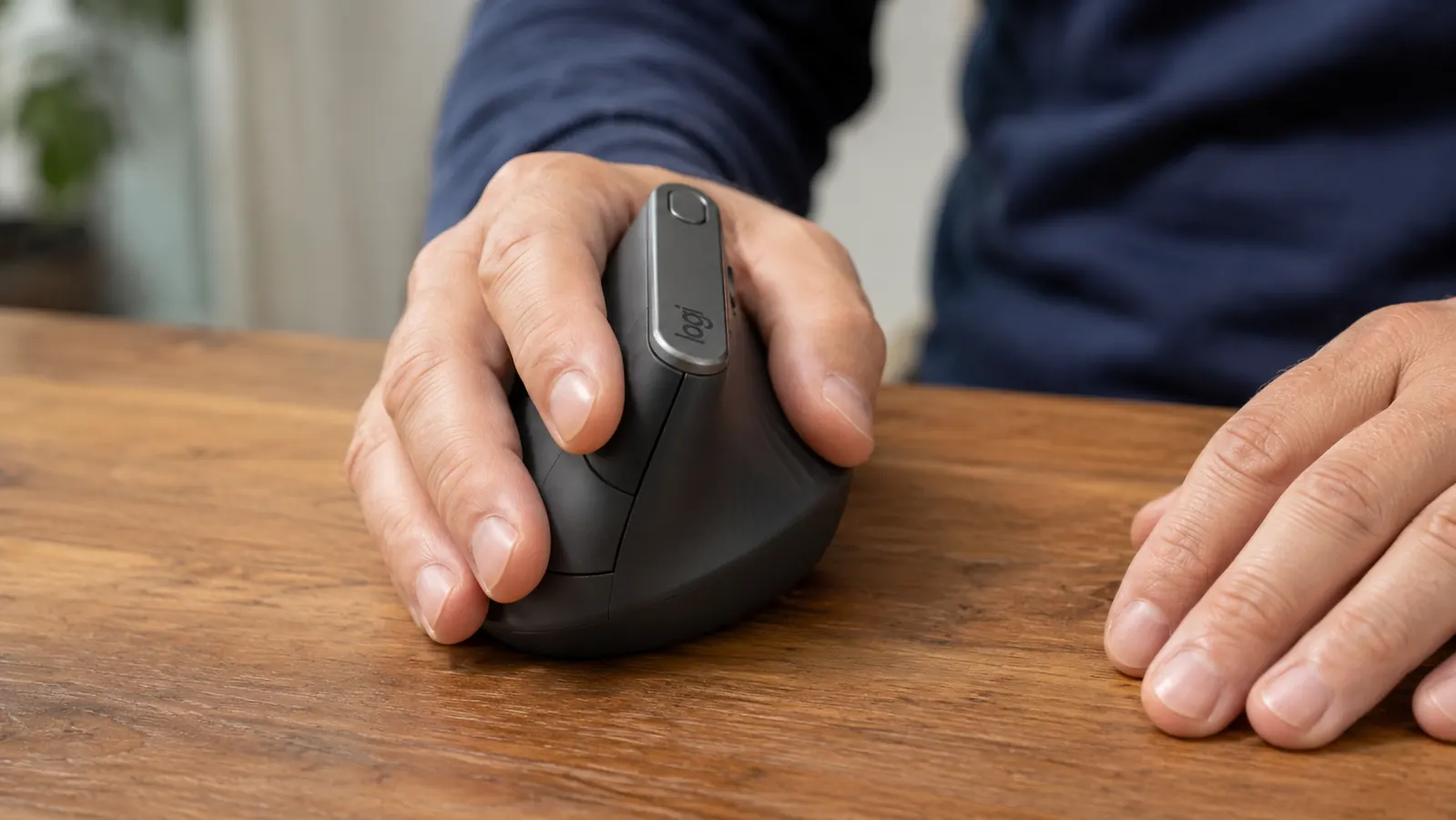
Where the Anker Vertical Mouse Wins
Battery replacement over recharging is a genuine point in the Anker's favor for some users. The Anker takes a single AA battery that lasts over a year. You replace the battery once every twelve to eighteen months and you are done. The MX Vertical uses a built-in rechargeable battery that connects via USB-C, which means it eventually degrades, and it means plugging in a cable every three to four months. If you work somewhere without easy access to charging, or if you just find rechargeable mice annoying, the Anker's model is simpler.
Weight is a minor point, but the Anker is about 13 grams lighter than the MX Vertical. For most users this is imperceptible, but some people who use mice for many hours daily prefer slightly lighter devices, and the Anker is the lighter option. Beyond those two things, the Anker does not beat the MX Vertical on anything that matters in a full-time home office context.
The ergonomic benefit of a vertical mouse comes from the grip angle, not the brand. Both mice give you that. But the MX Vertical adds a sensor that works everywhere, software you can actually configure, and multi-device switching that saves real time.
The Scroll Wheel and Button Feel: A Real Difference
This does not show up in any spec sheet, but it matters in daily use. The MX Vertical's scroll wheel has a smooth, weighted feel with a satisfying tactile step between notches. Logitech has spent years tuning their scroll mechanics, and the MX Vertical reflects that. Scrolling through long documents or code files feels controlled and effortless. The Anker's scroll wheel is notchy and light in a way that feels plasticky. It works, but it does not feel like a premium tool. After using both, the scroll wheel alone signals which product was designed for long work sessions and which was designed to clear a price point.
The click buttons tell a similar story. The MX Vertical's primary buttons have a consistent, short-travel click that does not fatigue the finger over an eight-hour day. The Anker's buttons require slightly more force and have a deeper travel. Neither is painful, but the difference is noticeable if you are clicking a few thousand times per day, which most knowledge workers are.
The Ergonomic Benefit: Both Deliver It, One Delivers It Better
Here is the part that matters most for anyone buying a vertical mouse for health reasons. Both the MX Vertical and the Anker put your hand in roughly the same handshake-style grip at a similar angle. The core ergonomic benefit of reducing pronation and taking forearm pressure off your tendons is present in both products. If you switch from a standard flat mouse to either of these, you will likely notice less forearm fatigue within a week or two. The vertical mouse format is the variable that matters, not the brand.
Where the MX Vertical improves on that foundation is in the support and contouring of the grip surface. The rubberized thumb rest is shaped to cradle a hand comfortably in that 57-degree position without the hand having to actively hold the angle. The Anker's thumb area is shallower, and after long sessions my hand felt like it was working slightly harder to maintain the grip position. This is subtle in the first hour and more noticeable after four or five. If you have a repetitive strain issue, those small differences in passive support are exactly the kind of thing that matters.
Software and Customization: A Full Generation Apart
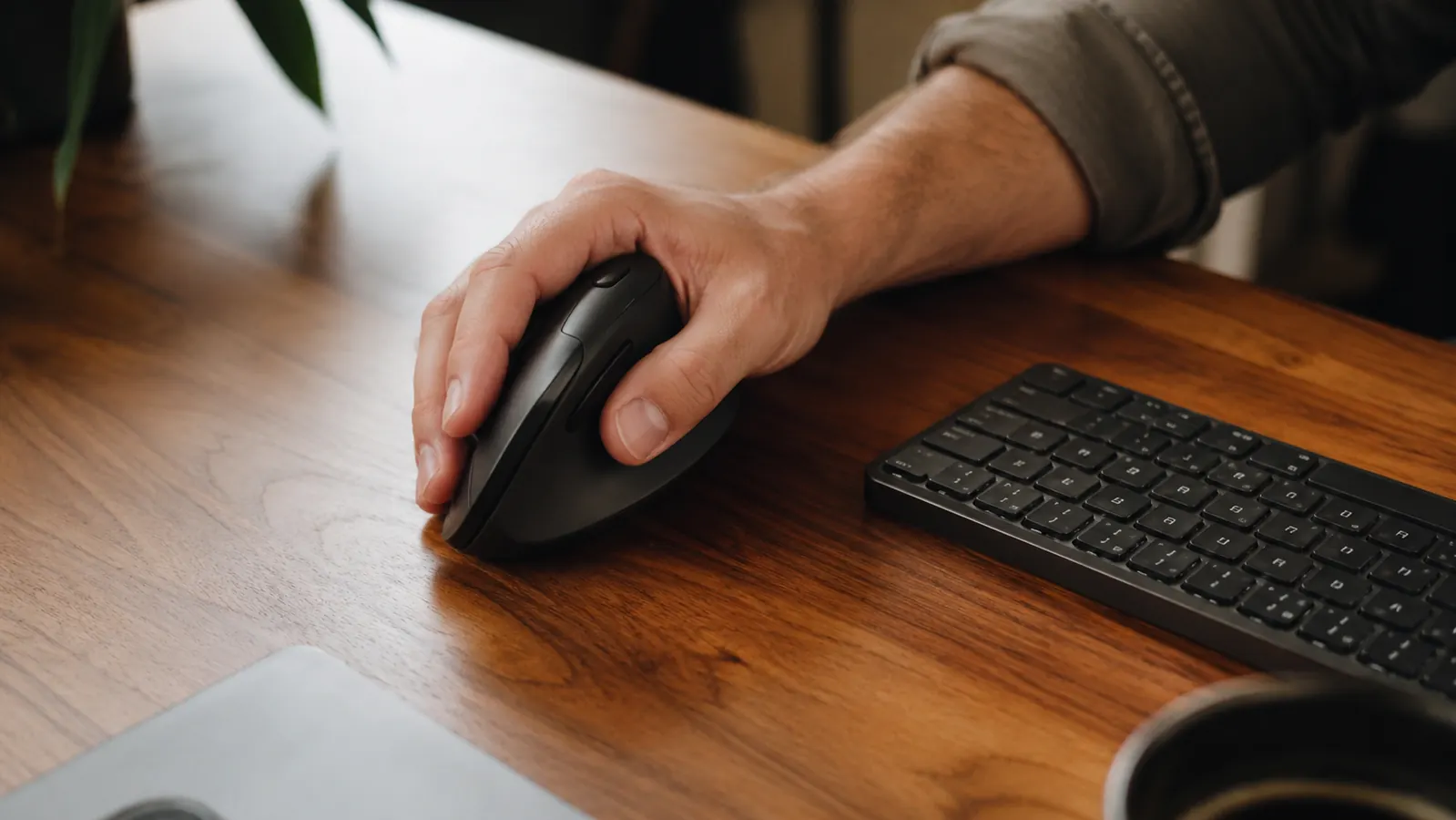
Logitech Options+ is a well-built piece of software. It recognizes the MX Vertical automatically, shows you a diagram of every button, and lets you assign actions by app. That last part is worth pausing on: you can set the forward button to do one thing in Chrome and a different thing in your design tool, and the mouse switches behavior automatically when you change windows. This is the kind of feature that sounds like a marketing bullet point until you actually use it, and then it becomes something you cannot imagine working without.
The Anker has no software. The three DPI levels are the extent of the customization. If you use a single machine and a single application most of the day, this may not matter to you. If you are a multi-app worker who jumps between a browser, a document editor, and a project management tool throughout the day, the MX Vertical's per-app button logic is a real productivity advantage.
Who Should Buy Which
Buy the Logitech MX Vertical if you work full-time from home, you use two or more computers or monitors, you care about sensor accuracy across different desk surfaces, and you want a mouse you can configure to match how you actually work. It is not a small purchase, but it is the kind of tool that earns its cost over years of daily use. My MX Vertical is eight months in and feels exactly the same as it did on day one. For more on what eight months of daily use actually shows, see my full long-term review at the link below.
Buy the Anker 2.4G vertical mouse if you have never used a vertical mouse before and want to try the format without committing real money. It is also a reasonable choice if you use a single Windows machine on a solid-color desk surface, you prefer replaceable batteries, and you do not care about button customization. It is a fair product at its price. It is not a substitute for the MX Vertical, but it was never trying to be.
If forearm or wrist fatigue is the reason you are reading this, do not let the price be the deciding factor. The MX Vertical's superior grip contouring, accurate sensor, and per-app programmability will serve your hands better over the months that matter. For a full guide on reducing mouse-related fatigue in your home office setup, check the how-to article linked below.
Three times the price. More than three times the mouse.
The Logitech MX Vertical works on any surface, pairs to three devices, and lets you program every button through Logitech Options+. With over 14,800 verified reviews and a 4.4-star average, it has earned its desk space. Check today's price on Amazon.
Amazon Check Today's Price on Amazon →