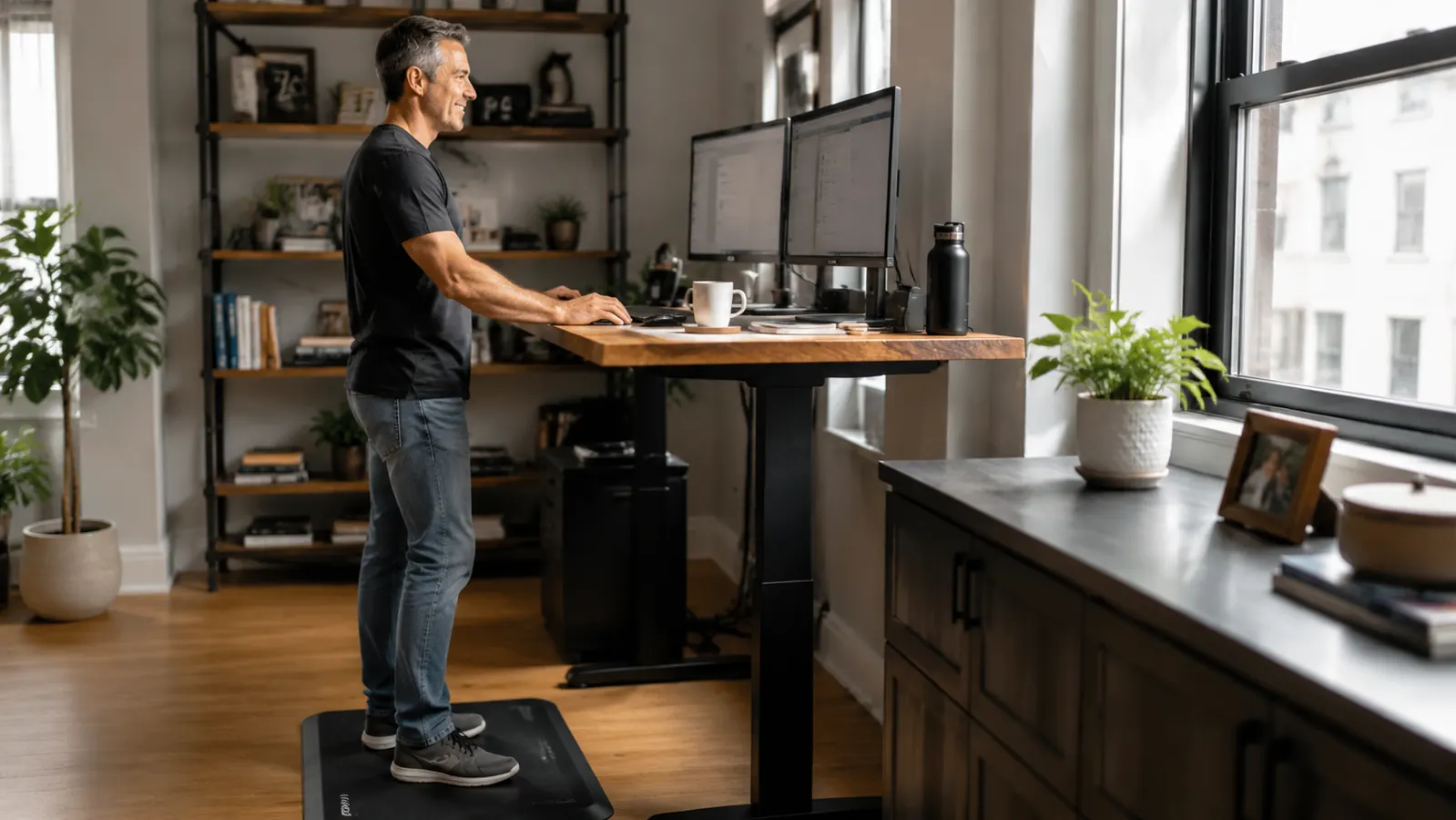
I bought my first standing desk converter three years ago and spent the first two weeks wondering why my feet hurt more than they ever did sitting down. My calves ached by 2 p.m. My lower back, which standing was supposed to fix, felt tight in a completely different way. I was doing everything wrong, and nobody had told me that standing without the right setup is just trading one pain for another.
The good news is that sustainable all-day standing is a skills problem, not a fitness problem. You do not need stronger feet or longer legs. You need the right mat under you, sensible footwear, a realistic interval schedule, and a handful of small movements you do without thinking. This guide covers all of it, in the order it matters.
If your feet ache within the first hour of standing, the mat is likely the first thing to fix.
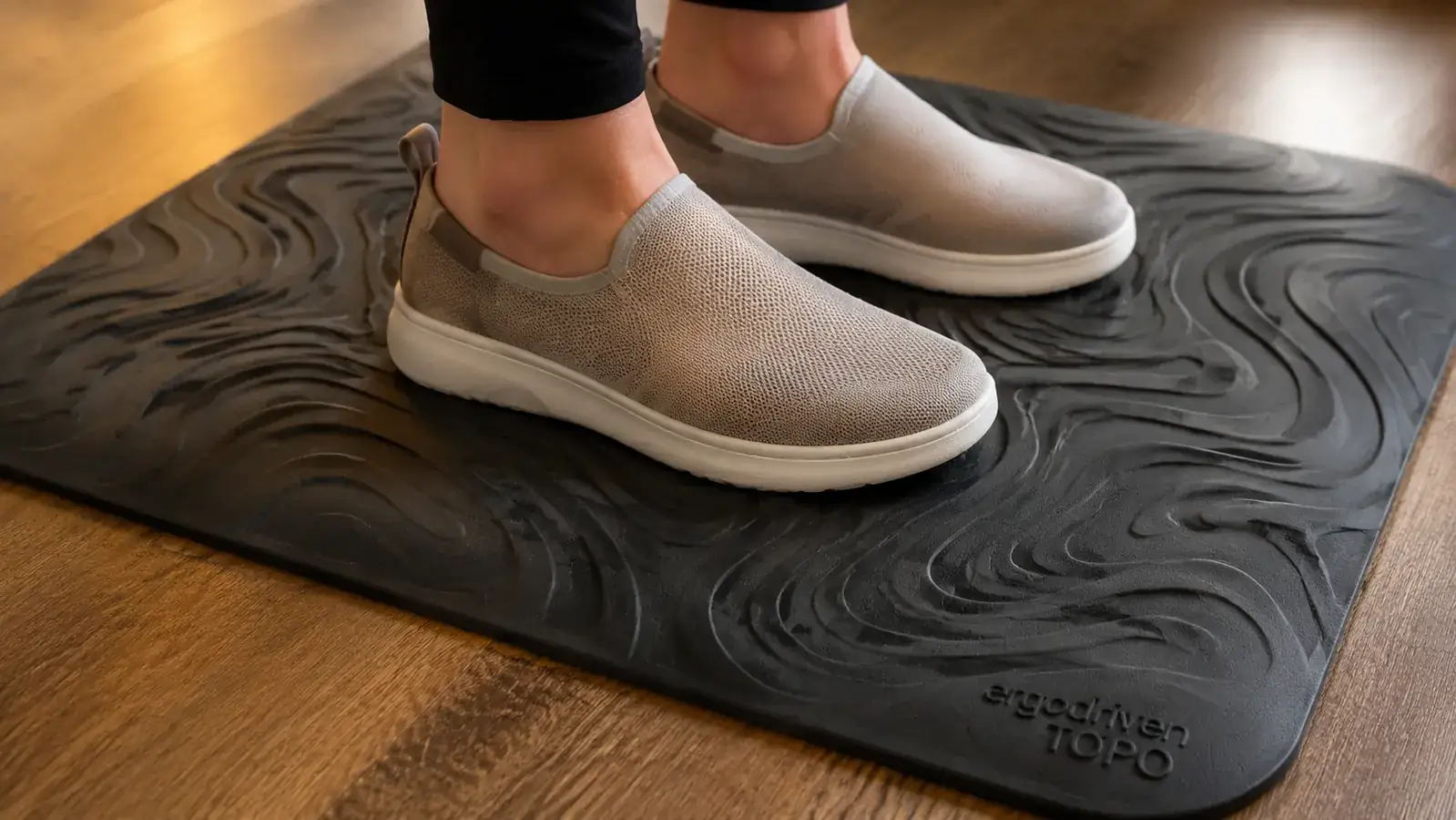
The Ergodriven Topo is the anti-fatigue mat I use daily. Its contoured surface keeps you subtly shifting weight, which is exactly what prevents the static fatigue that flat mats cannot solve. Check the current price before you read further, because the setup steps below assume you have something like it under your feet.
Amazon Check Today's Price on Amazon →Step 1: Get the Right Surface Under Your Feet Before Anything Else
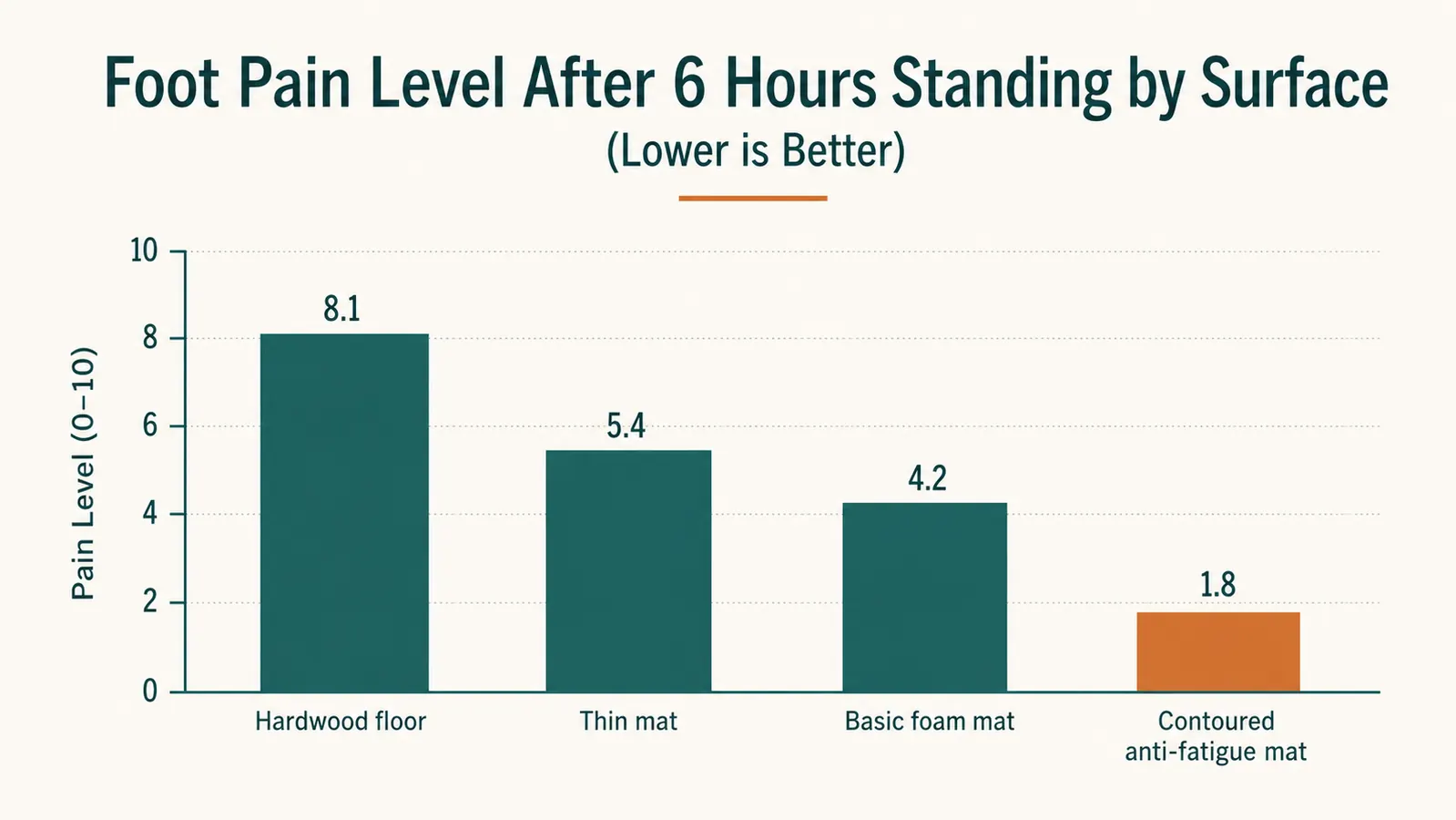
Standing on bare hardwood or tile is the single fastest way to quit standing. The hard surface transmits every bit of your body weight straight into your heel and arch with nowhere for it to go. Within forty minutes, that localized pressure turns into genuine fatigue. A basic cushioned mat softens the impact, but it does not solve the real problem, which is that standing still in one position, even on a soft surface, causes muscle fatigue because your stabilizer muscles never get a break.
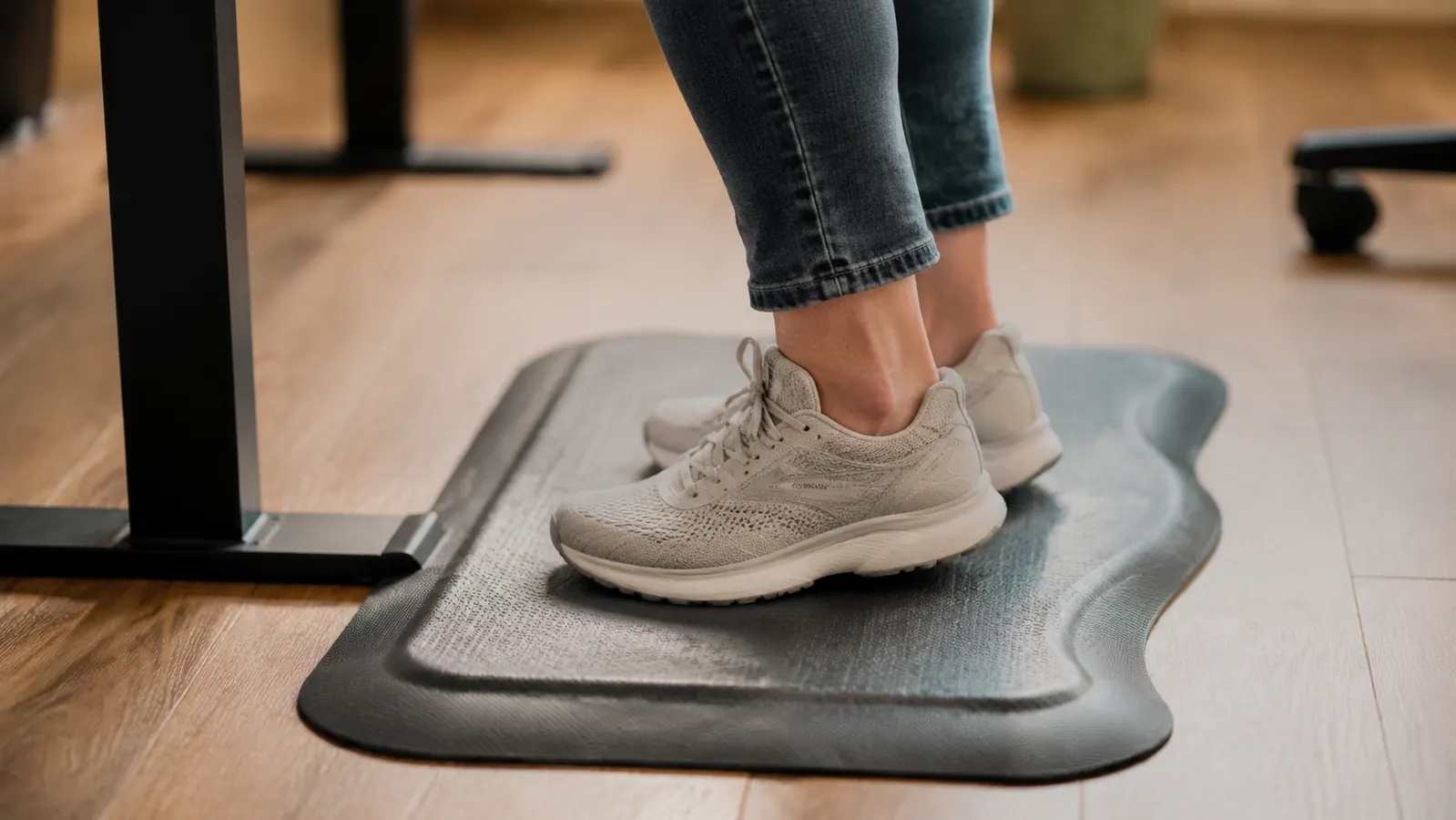
The Ergodriven Topo Anti-Fatigue Mat (ASIN B00V3TO9EK, rated 4.7 stars across nearly 6,000 reviews) takes a different approach. Instead of a flat foam surface, the mat has a raised center bar, toe ridges along the front edge, and side slopes you can lean into or prop a foot on. The terrain forces tiny, constant weight shifts you do not consciously decide to make. Your calf muscles engage and release. Your arches get a chance to vary their load. The net result is that you can stand for 45 to 60 minutes on the Topo without the same fatigue you accumulate on a flat surface in 20 minutes. I have been standing on mine daily for over a year and the foam has not compressed flat the way cheaper mats do.
If you are working on a tight budget, even a basic anti-fatigue mat is a meaningful upgrade over bare floor. But if you are going to invest in a proper standing setup and actually use it every day, the Topo is the version that removes the attrition. The toe ridge alone has become a habit I did not know I was forming.
Step 2: Swap Your Footwear Before Your First Standing Session
Shoes matter more than most standing desk guides admit. When I first started standing at home, I was barefoot or in wool socks. That worked fine for the first 20 minutes. After that, my arches started complaining because there was nothing supporting them through the sustained load. If you work barefoot and your arches are neutral to high, you can get away with it longer. If you have flat arches or any existing plantar fasciitis, bare feet at a standing desk will accelerate the problem, not fix it.
The practical fix is a pair of supportive house shoes or indoor sneakers you put on specifically for standing periods. They do not have to be expensive. I use a pair of low-profile trail shoes that I never wear outside. They have a firm midsole, a modest heel-to-toe drop, and enough lateral support that my ankles do not pronate when I shift weight. I keep them by my desk and put them on when I raise the desk. That physical swap has become a routine cue that also signals to my brain that I am shifting into a different work mode.
Avoid anything with a high heel or a very soft, pillowy sole for standing work. High heels (even small ones) pitch your weight forward onto your toes and compress your lower back. Overly cushioned soles with no lateral structure let your ankle wobble and tire out faster. A firm, flat-ish sole with moderate arch support is the target.
Step 3: Build Your Standing Intervals Around Real Work, Not Aspirational Timers
The most common mistake I see from people who try and fail at standing is starting with too long. They read somewhere that you should stand for 30 to 60 minutes at a stretch and then push through the fatigue trying to hit that number. By day three, standing feels like punishment and they drop back to sitting full time. The problem is not standing; it is the interval length.
Start with 20 minutes of standing for every 40 minutes of sitting. That is the sustainable entry point for most people who have spent years primarily sitting. Your feet and calves are not conditioned for sustained standing load and they need the same kind of progressive buildup you would give any new physical habit. Over two to three weeks, you can shift toward 25 minutes standing and 25 sitting, and then eventually to whatever feels right for your body. Some people plateau at a 50/50 split. Others find they prefer to stand for most of the morning and sit for focused afternoon work. There is no universally correct ratio.
Standing is not a posture you hold. It is a rhythm you build. The goal is not to stand more; it is to stand sustainably enough that you do it every single day without dreading it.
Align your standing intervals with natural work transitions rather than arbitrary clock timers. Stand when you are on calls, reviewing documents, or doing light email work. Sit when you are in a flow state writing, coding, or doing deep analysis. Using the work type as your cue means you transition naturally and the standing never fights your concentration. A simple desk-timer app or even a phone reminder set to repeat every 30 minutes works well as a backup prompt.
Step 4: Set Your Desk Height Correctly for Your Body
An incorrectly set desk height creates fatigue even with a great mat and good shoes. The target when standing is to have your elbows at roughly a 90-degree angle when your hands rest on the keyboard, with your shoulders relaxed down, not shrugged. If your desk is too low, you hunch forward. If it is too high, your shoulders creep up and your traps tighten. Either way, you have traded lower-body fatigue for upper-body fatigue.
The simple test: stand at your desk in your regular standing footwear, let your arms hang naturally at your sides, then bend your elbows to 90 degrees. Your fingertips should be at roughly the same height as your keyboard surface. Adjust from there. Most people discover their standing height is two to four inches higher than they initially set it. For monitor height, the top third of your screen should be at eye level so you are looking slightly down, which puts your neck in a neutral position rather than cranked back.
If you are using a desk converter like the VIVO K-Series, note that the keyboard tray and the monitor platform are linked. Raise the entire platform to the right standing height for your elbows first, then check whether the monitor is too low. Most users need a small monitor riser or laptop stand on top of the converter to compensate for the height difference between keyboard tray and screen. Getting this right eliminates a large source of neck and upper-shoulder fatigue that people wrongly blame on standing itself.
Step 5: Add Micro-Movements Throughout Every Standing Session
The Ergodriven Topo mat encourages passive weight shifting, but you also want a few active micro-movements you consciously cycle through during a standing session. None of these take concentration. They are the kind of thing you can do while reading an email or waiting for a file to upload.
Calf raises are the most useful one. A slow set of ten calf raises, holding the top position for a second before lowering, pumps blood back up through your lower legs and clears the low-grade pooling that makes ankles feel heavy by mid-afternoon. Weight shifts, where you move your weight from one foot to the other and back every 30 seconds or so, engage your hip stabilizers and prevent your knees from locking out. Propping one foot on the Topo's side slope for a few minutes, then switching, changes the angle on your hip flexors and decompresses whichever side has been bearing more load.
These movements collectively do what a flat surface cannot: they keep the smaller postural muscles cycling rather than statically holding. The result is that by the time you sit back down, you feel tired in the way a short walk leaves you slightly spent, not in the locked, aching way that comes from standing rigid on a hard floor. That distinction is the whole difference between standing that builds a sustainable habit and standing that burns people out in a week.
What Else Helps
Compression socks are worth trying if you stand for more than three hours a day in total. They are not exciting, but moderate compression (15 to 20 mmHg) provides the same calf-pump assistance that athletes use after long runs. I was skeptical until I tried them on a heavy travel day and noticed I arrived without the usual ankle heaviness. I now keep a pair at my desk and use them on days when I know I will be standing through long calls. You do not need medical-grade compression; the everyday athletic versions from most sports retailers work fine.
Hydration affects standing comfort more than most people expect. Light dehydration causes your blood to thicken slightly, which makes circulation less efficient. When you are standing and your calf muscles are already working harder than they do sitting, even mild dehydration amplifies fatigue. Keeping a full water bottle at eye level on your desk and finishing it before noon is a habit that costs nothing and consistently makes the second half of the workday feel better.
Finally, if you have been primarily sitting for years and are starting a standing routine, expect the first two weeks to feel harder than they should. Your posterior chain, particularly your calves, Achilles tendons, and the small muscles around your ankles, needs time to adapt to the sustained load. Soreness in those areas during the first week is normal and not a signal that standing is wrong for you. It is a signal to keep your standing intervals shorter until the adaptation catches up. The people who quit during week two almost always started with intervals that were too long too soon.
The Topo mat is the one thing under your feet that makes every step in this guide actually work.
The contoured terrain surface keeps you moving passively so the fatigue never accumulates the way it does on a flat mat or bare floor. With a 4.7-star rating from nearly 6,000 buyers and foam that holds its shape after daily use, it is the most durable, practical foundation for a standing desk routine I have found. Check today's price on Amazon and see if it is still in stock.
Amazon Check Today's Price on Amazon →