
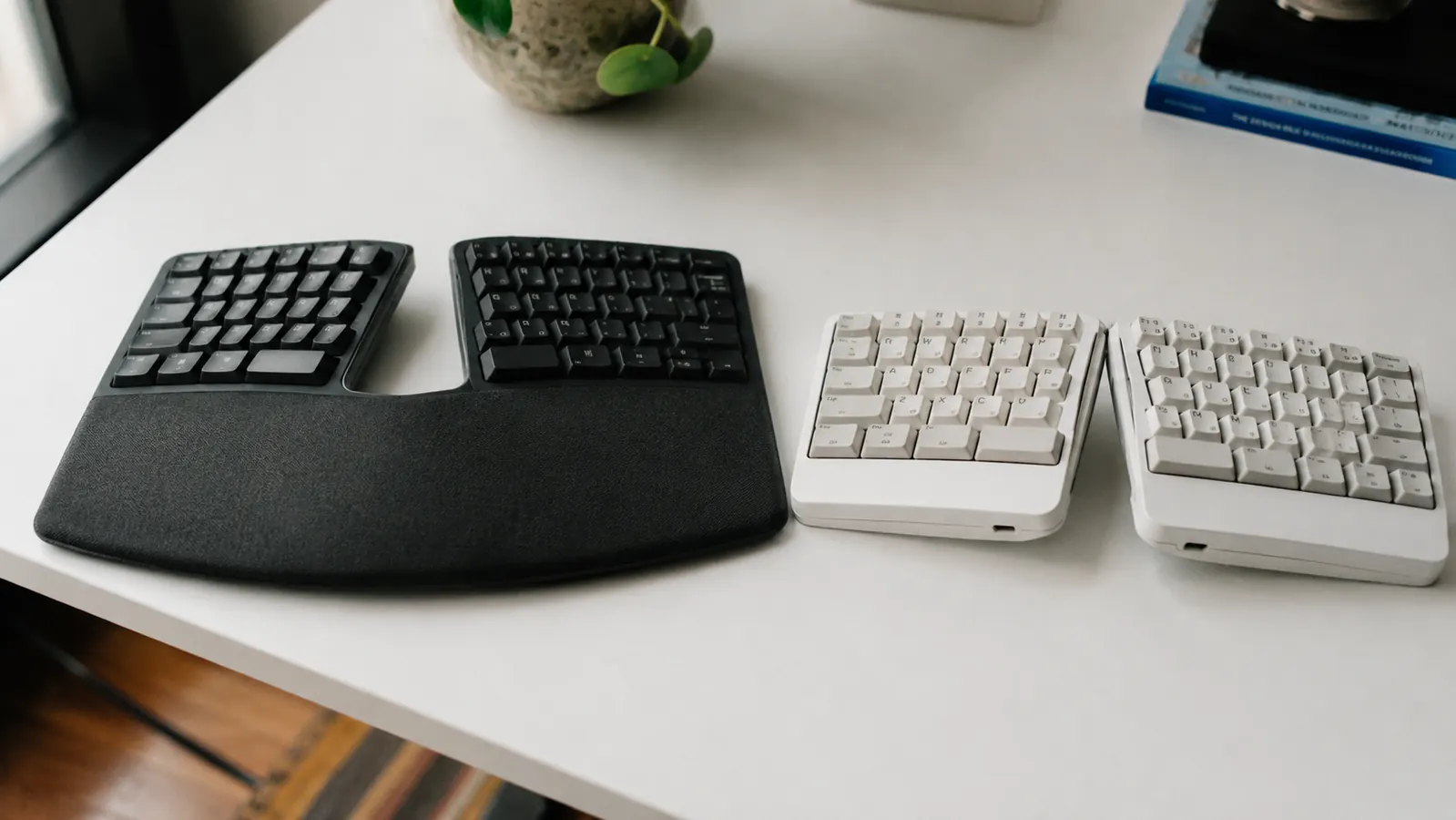
If you have been typing on a flat keyboard for years and your wrists have started to complain, you have probably landed on the same two names: the Logitech Ergo K860 and the Microsoft Sculpt Ergonomic Keyboard. Both show up on every ergonomic office guide. Both cost more than a standard keyboard. Both claim to save your wrists. I have used each one for several months in a real remote-work setup, and the honest answer is that they are not equally good. One of them is worth the investment. The other is a compromise you will regret.
The short answer: the Logitech K860 wins for most full-time remote workers. The Microsoft Sculpt has one real advantage in portability, but it gives up too much on connection reliability, device flexibility, and wrist rest quality to justify the trade. Read on for the full breakdown.
| Logitech K860 | Microsoft Sculpt Ergonomic Keyboard | |
|---|---|---|
| Connection | Logi Bolt USB or Bluetooth (multi-device, 3 profiles) | 2.4 GHz USB dongle only (not Bluetooth) |
| Devices Supported | Up to 3 devices, switch with one key | 1 device only |
| Wrist Rest | Attached, memory foam, full-width | Detached magnetic pad, thinner foam |
| Negative Tilt | Yes, adjustable legs at front | No tilt adjustment |
| Battery | 2 x AAA, rated up to 2 years | 2 x AAA (keyboard) + coin cell (numpad), shorter life |
| Numpad | Integrated (right side) | Separate wireless numpad included |
| Key Travel | Scissor switch, 2 mm travel, quiet | Dome switch, slightly softer, mushier feel |
| Weight | 910 g with wrist rest | 549 g (keyboard only, no wrist rest) |
| Compatibility | Windows, macOS, ChromeOS, iOS, Android | Windows and Android only (no macOS support) |
Where the Logitech K860 Wins
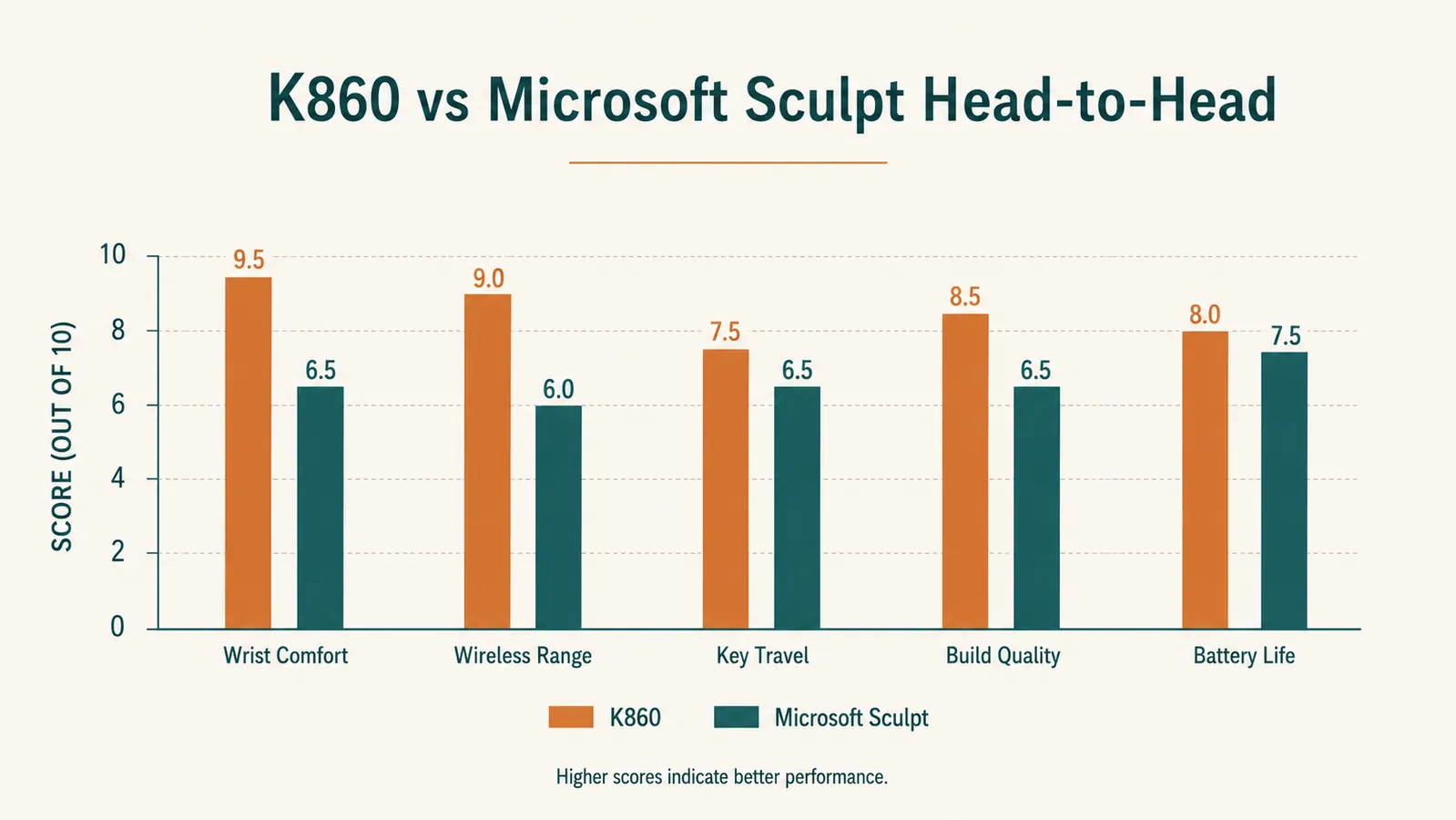
The biggest practical difference is multi-device support. I switch between a MacBook and a Windows desktop throughout the day, and the K860 handles that with a single key press. The Microsoft Sculpt cannot pair to more than one device at all, and it does not support macOS in any meaningful way. If you are running a mixed setup or you work across a laptop and a desktop, the Sculpt is simply not an option. The K860 connects via both Logi Bolt USB and Bluetooth, which gives you a fallback if one connection type causes interference.
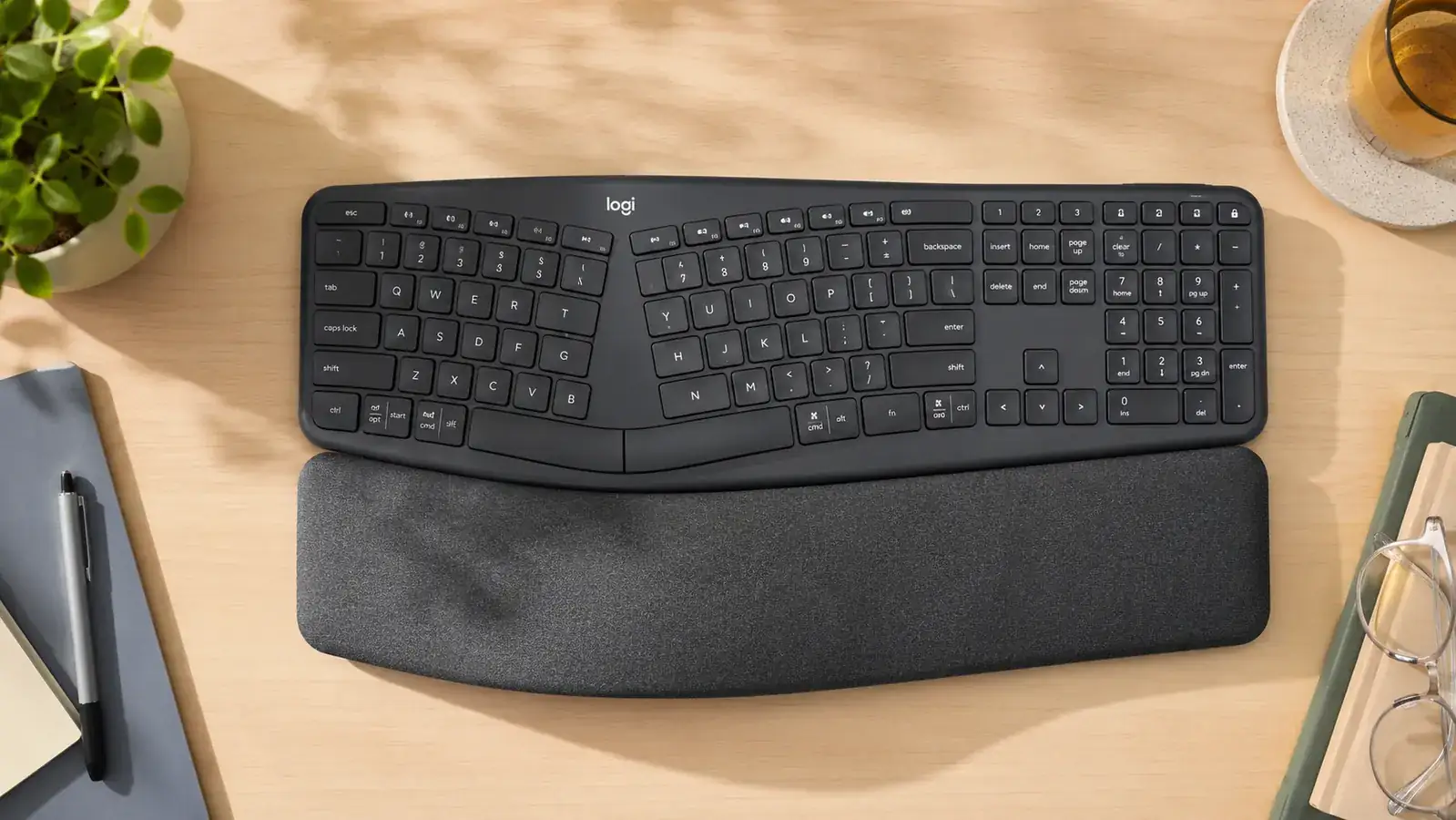
The wrist rest comparison is not close. The K860 has a full-width integrated memory foam rest that stays exactly where you put it. The Sculpt ships with a separate magnetic wrist pad that is thinner and tends to drift when you shift in your chair. After a six-hour writing session, the K860 wrist rest is still comfortable. The Sculpt pad starts feeling thin around hour three. The K860 also includes adjustable front legs that tilt the keyboard into a slight negative angle, which reduces wrist extension and is one of the core ergonomic improvements you are paying for. The Sculpt has no tilt adjustment.
Where the Microsoft Sculpt Wins
The Sculpt is lighter and has a smaller footprint because its numpad ships as a separate wireless piece. If you rarely use a numpad, you can put it in a drawer and reclaim the space. The K860 integrates the numpad into the main body, which makes the total width wider than most people expect. If desk space is genuinely tight, that extra width matters.
The Sculpt also has a lower initial learning curve for some typists because its dome switches have a softer, more familiar feel if you are coming from a standard laptop keyboard. The K860's scissor switches have more defined actuation, which some people love immediately and others need a week to adjust to. If you tried the K860 at a store and the keys felt stiff, you may have been pushing harder than necessary. But for long writing sessions, the more defined feedback on the K860 reduces accidental keypresses and makes the keyboard feel more precise.
Your wrists have been patient long enough. The K860 is the ergonomic keyboard that holds up through a real workday.
The Logitech Ergo K860 connects to up to 3 devices, ships with a full-width memory foam wrist rest, and handles eight-hour days without the wrist fatigue that cheaper alternatives leave you with.
Amazon Check Today's Price on Amazon →Typing Feel After Months of Real Use
I write between 3,000 and 5,000 words on most workdays. After a few months on the K860, the split layout stopped feeling foreign and started feeling like the right way to type. The key spacing accommodates a natural shoulder-width arm position, which means your elbows are closer to your sides and your wrists are not torqued outward the way they are on any straight keyboard. The Sculpt achieves a similar split angle but without the adjustable negative tilt, so you still get some wrist extension depending on your desk height.
After three months on the K860, typing on a flat keyboard feels like wearing shoes on the wrong feet. The split angle is not a novelty. It is just correct.
The K860 also has a curved key layout where the rows arc slightly toward the center of the keyboard, matching the natural reach of your fingers. It sounds subtle but it reduces the stretch on your pinkies and ring fingers noticeably over a long day. The Sculpt uses a more conventional flat row layout within its split housing, so you get the shoulder-width positioning benefit but not the finger-reach benefit.
Connection Reliability: A Bigger Deal Than It Sounds
The Microsoft Sculpt uses a single 2.4 GHz USB dongle to connect all three devices it ships with (keyboard, numpad, and mouse if you buy the bundle). That means if you lose the dongle, you lose everything. There is no Bluetooth fallback, no way to pair to a second computer, and no replacement dongle sold separately from Microsoft. I had a Sculpt briefly, and the dongle issue alone made it a non-starter for a working setup. The K860 uses the Logi Bolt receiver, which is backed by Logitech's full accessory ecosystem, and it also pairs over Bluetooth independently of any receiver.
In busy wireless environments, like a home office with multiple devices, 2.4 GHz congestion can cause the Sculpt to drop keystrokes or lag briefly. The Logi Bolt protocol is a more modern 2.4 GHz implementation with better interference rejection, and the Bluetooth option gives you a completely separate radio path if the USB receiver causes trouble.
Battery Life and Practical Maintenance
The K860 runs on two AAA batteries and Logitech rates it at up to two years of typical use. In practice, I replace mine closer to 14 months in, which is still exceptional. You never think about batteries on this keyboard. The Sculpt keyboard also takes AAA batteries, but the separate numpad uses its own coin cell battery, meaning you have two different battery types to track and replace. That is a minor inconvenience that adds up when you are in the middle of a deadline.

Who Should Buy the Logitech K860
The K860 is the right choice if you type more than four hours a day, if you work across more than one device, or if you are using a Mac. It is also the right call if you have any history of wrist tension, carpal tunnel symptoms, or shoulder tightness from typing. The full-width wrist rest, the negative tilt legs, and the curved key arc add up to a keyboard that is engineered for sustained daily use, not just occasional comfort. The price is higher than the Sculpt, and it earns that premium.
Who Should Buy the Microsoft Sculpt
The Sculpt makes sense if you are on Windows only, you connect to exactly one device, and desk footprint is a genuine constraint. It is a decent first ergonomic keyboard for someone making the switch from a standard layout who wants something less intimidating than the K860's full curved-split design. Just know the trade-offs going in: no Bluetooth, no multi-device switching, no macOS support, a thinner wrist rest, and a dongle you cannot replace if you lose it. For a permanent home office setup, those are significant gaps.
The K860 is the ergonomic keyboard that stays on your desk for years, not months.
With multi-device Bluetooth, a genuine memory foam wrist rest, and an adjustable negative tilt, the Logitech Ergo K860 is built for the kind of full-time remote work that flat keyboards punish over time. Check the current price before the usual discount expires.
Amazon Check Today's Price on Amazon →